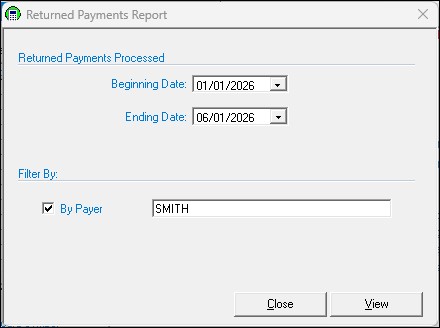
Returned Payments Report
The Returned Payments Report will display a list of all the checks that have been returned by the bank unprocessed due to insufficient funds.
To view the report choose Reports | Returned Payments, set the date parameters, and click View. To get a report of all Returned Payments, listed alphabetically by Payer, check the box next to By Payer. If you are looking for a report of one specific Payer's Returned Payment history, check the By Payer box, type in the Payer's last name, click View. The report will display on the screen for you to view and/or print (see Printing).